For homes
The Marin Stack: Lutron, Sol-Ark, Flume, and a Whole House on One Screen
Most Marin homes end up with good systems that never meet each other: a lighting system in one app, solar in another, a water meter in a third, cameras in a fourth. This is a walk through one real home that put all of them on a single owned screen, what each system actually exposes to make that possible, and what "one screen" looks like when it is done.
The home is our own in Marin, which is the honest reason we can show it: we built this for ourselves before we offered it to anyone. The console interface below is our live demo, which you can click around yourself; the systems it speaks to are real and running.
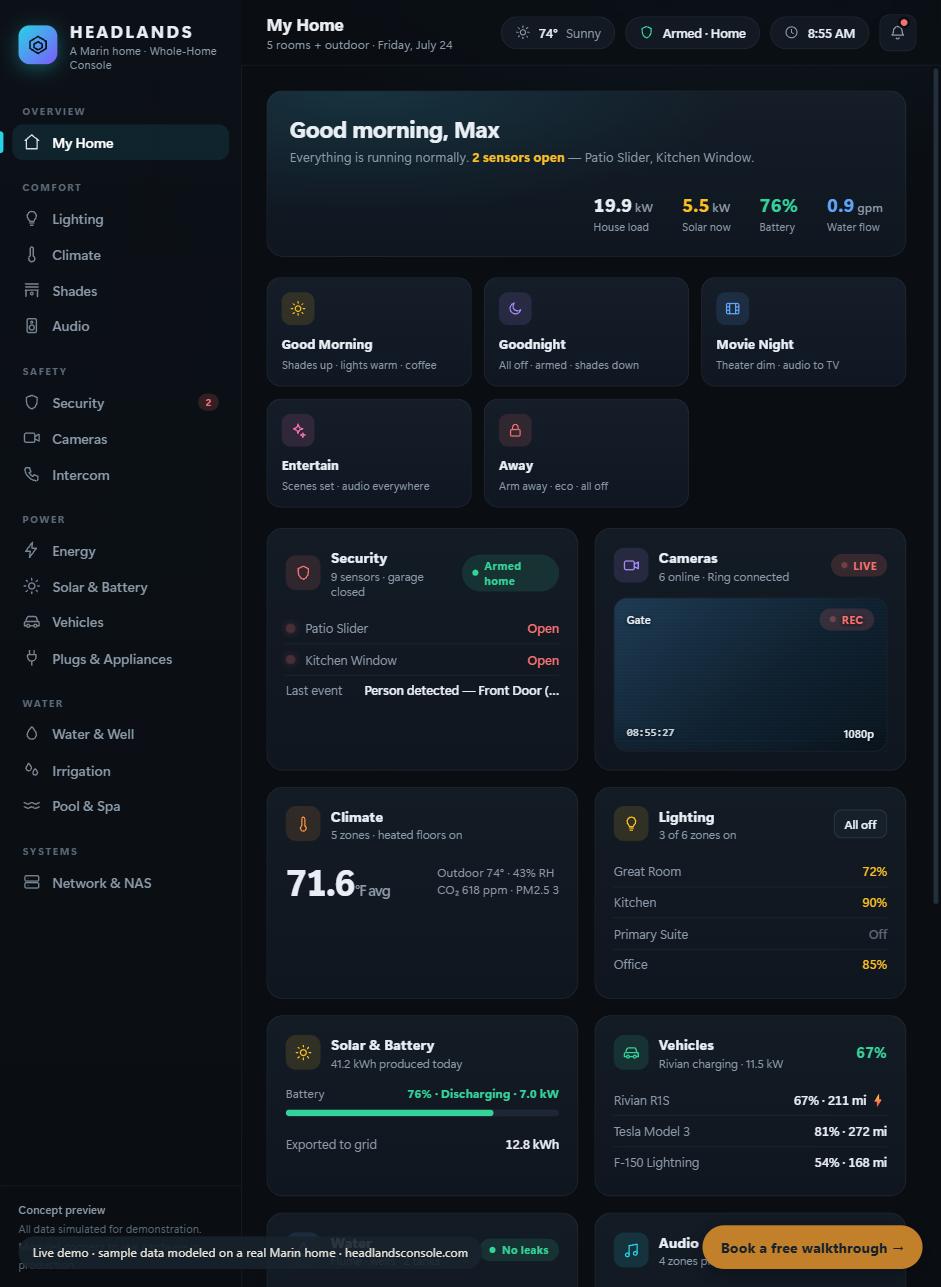
The home view: the whole house at a glance. Open the live demo and click through it. (It is an interactive sample home; the real house runs the same systems described below.)
Lighting: Lutron, rescued and on the screen
The lighting is a Lutron system: 157 loads, 50 keypads, 5 shades. It is also the reason this whole project started, because for about fifteen years nobody could program it. The dealer was gone and the software with them. We brought it back over its documented serial protocol, without replacing a single device, and now it answers from the console and the phone alongside its original wall keypads. If you have a Lutron system a dealer walked away from, that specific story is written up in the rescue guide. The important point for the stack: Lutron speaks a documented protocol, which is exactly what lets it join one screen instead of living in its own app.
Solar and battery: Sol-Ark
The solar and battery are Sol-Ark, and this is the view that surprises people, because it moves. The power-flow diagram shows, live, where the energy is going: from the panels, to the house, to and from the battery, to and from the grid. Underneath it are the numbers that actually matter over a day: produced, consumed, exported, and how self-powered the house was.
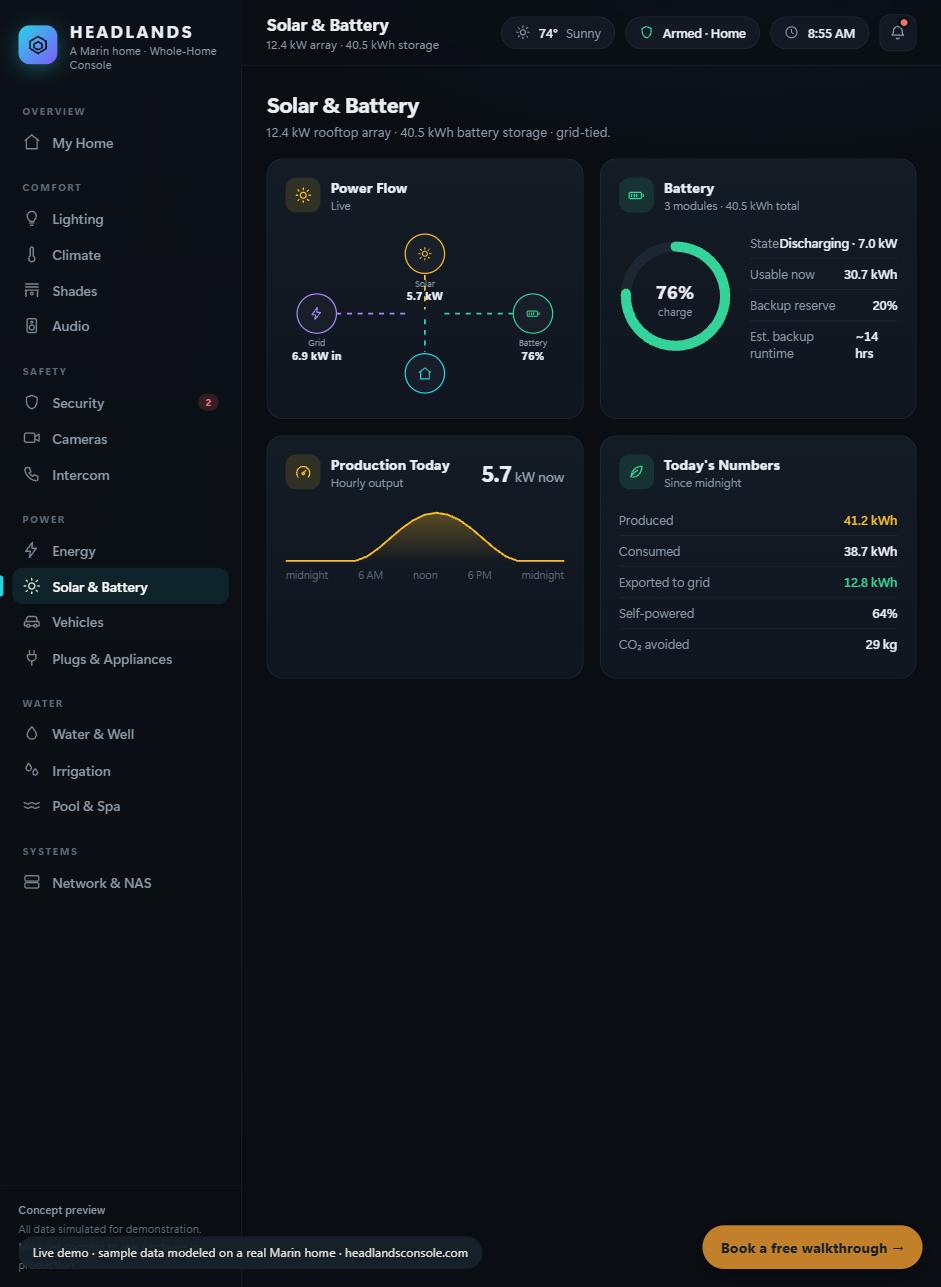
Solar and battery: the power-flow diagram animates as energy actually moves. This is the panel people stand and watch.
Sol-Ark exposes its data locally over Modbus and through its cloud, which means a third party can read production, consumption, and battery state honestly and reliably. One thing we always say plainly: reading solar is realistic, controlling it mostly is not, so we present it as monitoring, not as a promise to run your inverter from a phone.
Water: Flume, and the leak you catch early
The water is on Flume, a sensor that straps to the main water meter with no plumber. On the console it becomes a live flow rate, a daily total against your own trend, and a fixture breakdown of where the water actually went. The quiet value here is the one nobody notices until it saves them: a flow pattern that looks like a leak when the house is empty is exactly the kind of thing a screen catches and a pile of separate apps does not.
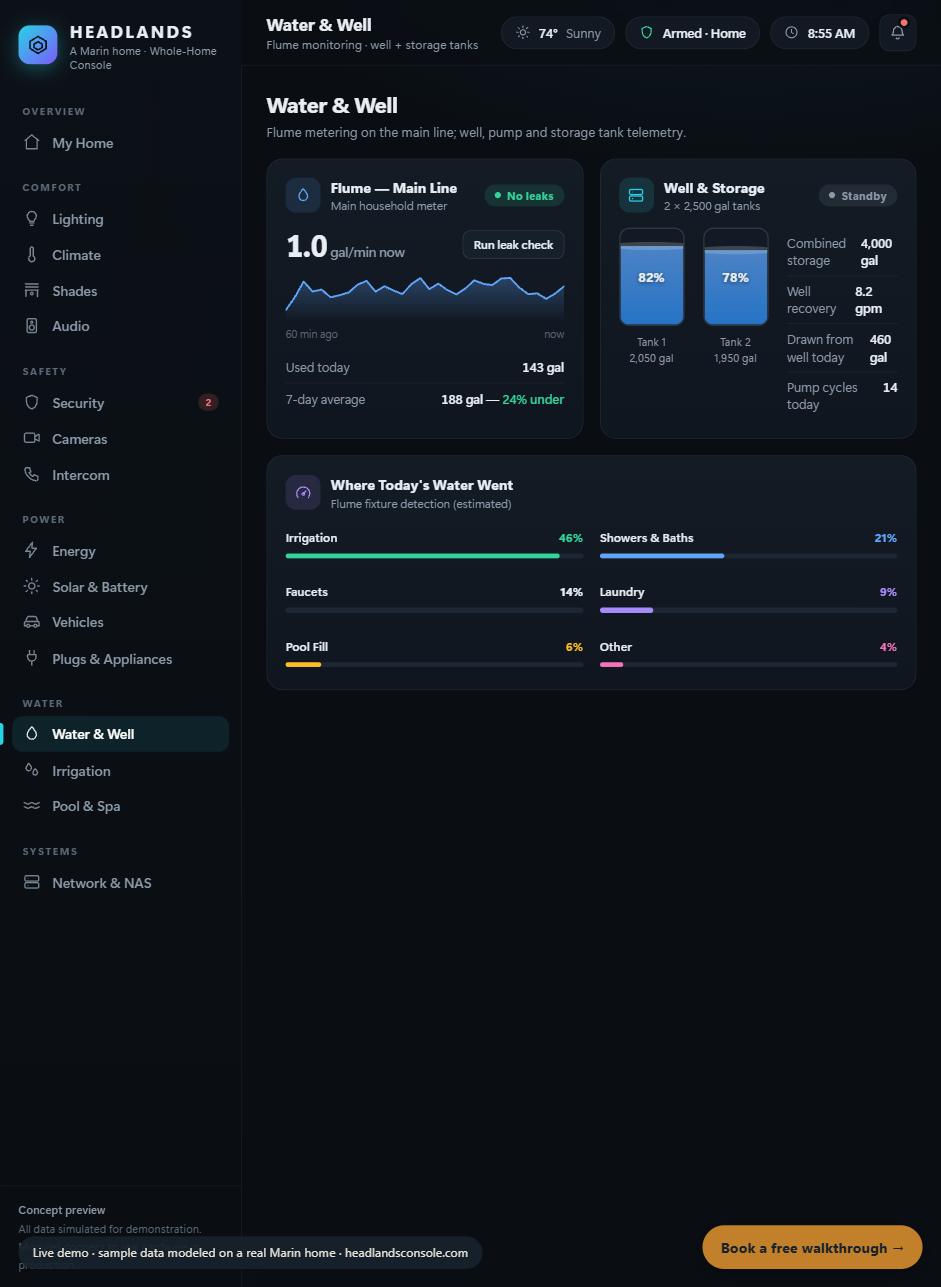
Water: Flume flow on the main line, tank telemetry, and a fixture breakdown of the day's use.
Cameras, vehicles, and the rest
The cameras are Ring, which show as a live grid with the doorbell and a clip library. The cars are on it too (a Tesla among them), reporting charge and range. Climate, shades, and audio round out the comfort side. The pool is Jandy, and it is the honest exception: it joins the screen when its receiver hardware goes in, so we do not show it as live until it is. Everything named as running here is running; that rule is the whole reason the proof is worth anything.
What makes a stack "joinable"
The through-line across all of these is not brand, it is access. A system can join one screen when it exposes an interface: an API, a local protocol, a meter, or even a documented serial port from the 1990s. Lutron has its protocol, Sol-Ark has Modbus, Flume and Ring have APIs, Tesla has an API. None of them was designed to work with the others, which is why they normally do not. The console is the translation layer that makes them, and the honest generalization we use is simple: if it has an API, a meter, or a schedule, it can live on the screen.
What it takes to build one
For a home that already has good systems, this is mostly software: connect what is there, normalize the events, put one interface on top. Some pieces are a quick connect, some need a device added, and a few (lighting installs especially) depend enough on the house that we quote them rather than guess. We wrote the whole menu out, connect-price versus add-price per system, on the main page. And if what you have is a system nobody can program anymore, that is where a build usually starts: rescue it first, then put it on the screen.
Everything you run. One screen.
The systems described (Lutron, Sol-Ark, Flume, Ring, Tesla) are live on a real Marin home as of July 2026; the Jandy pool joins when its receiver hardware is installed. The console images are our interactive demo (sample data), shown so you can see the interface; the real house runs the same systems. Our prices are published at headlandsconsole.com. This article is educational and useful, we hope, even if you never hire anyone.